Same Day Settlement for QRIS, Virtual Account & E-Wallet Payments
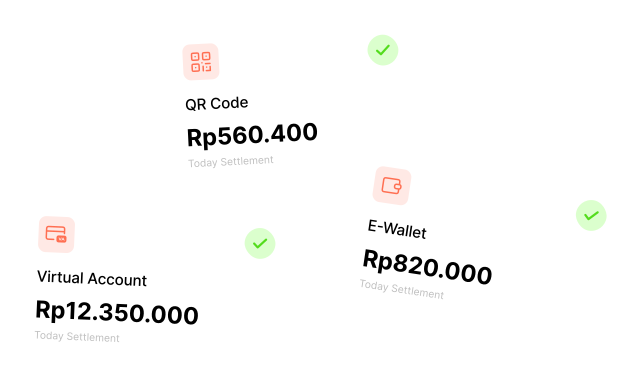
Access eligible payment proceeds sooner from QRIS, virtual account, and e-wallet transactions with Same Day Settlement. SDS enables real-time settlement when the bank or payment channel is operational — improving cash flow, reducing wait time, and letting you reinvest earnings sooner.
HOW IT WORKS
How Same Day Settlement works
SDS applies to supported Receive Money transactions when the bank or payment channel is operational and the transaction is within the assigned daily limit. If the SDS limit is reached, subsequent transactions will revert to the standard settlement time, typically T+1.

TRANSACTION SOURCE
Supported payment methodsEligible QRIS, virtual account, and e-wallet transactions can use SDS.

SDS CHECKPOINT
Operational checkSettled in real time when the bank or channel is operational. Follows Bank Indonesia calendar and provider availability.

SETTLEMENT RESULT
Real-time or T+1Transactions settle in real time via SDS. If the daily limit is reached, subsequent transactions follow the standard T+1 timeline.
SDS is available on holidays and weekends, but different rates and limits may apply compared to business days.
Available for selected Receive Money channels
SDS is available for eligible QRIS, virtual account, and e-wallet transactions.

QRIS
Access eligible QRIS payment proceeds sooner through SDS.

Virtual Account
Use SDS for Virtual Account transactions where settlement is not already processed in real time.
E-Wallet
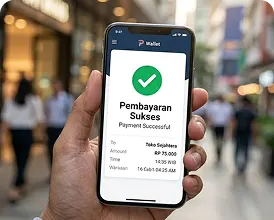
Receive eligible proceeds sooner from supported e-wallet transactions.
IMPROVED CASH FLOW MANAGEMENT
How SDS benefits your business
Same Day Settlement gives your business a meaningful operational and financial advantage.

Improved cash flow management
Access funds the same day transactions clear — no more waiting until the next working day to use your collected revenue.

Ability to reinvest earnings immediately
Put funds back to work the same day — restock inventory, pay suppliers, or fund operations without waiting for T+1 settlement.

Earlier access to eligible funds
Tighter settlement cycles reduce float, simplify treasury operations, and align reconciliation closer to real transaction time.
ACTIVATION
Activate SDS through your existing Brick agreement
To activate SDS, businesses need to sign an addendum to the existing Brick Service Agreement. SDS is offered on a client-by-client basis and eligibility criteria may vary
Contact your Brick Sales Manager or support team to initiate the activation process.
Sign an addendum to your existing Brick Service Agreement.
SDS is offered on a client-by-client basis. Additional eligibility criteria or risk assessments may apply.
What SDS supports
- QRIS, virtual account, and e-wallet transactions
- Real-time settlement when the bank or payment channel is operational
- Holidays and weekends, with different rates and limits possible
- Configuration based on payment method and business day type
What to confirm with Brick
- Fees by payment method
- Daily SDS limits and your specific assigned limit based on business model and risk profile
- Holiday rates (confirmed case-by-case before each holiday period)
- Available customization options
- Eligibility or risk assessment requirements
- Volume utilization expectations — Brick expects high utilization of your assigned limit; transaction history may influence future adjustments
SDS VS STANDARD SETTLEMENT
See the difference side by side.
Same Day Settlement changes when your money arrives — not how transactions work. Here's exactly what changes for your business.
Same Day Settlement (Early Settlement)
Receive money from topup, Virtual Account & QR Code directly to your balance in real-time without needing to wait a few days for the money to be settled.
 Get money settled to your balance in real-time, even during weekends or bank holidaysLow fees — as low as 0.30% per day of early settlement
| Scenario | Without SDS |  With SDS With SDS |
|---|---|---|
| Topup or receiving money via T+1 Bank (e.g. Bank Mandiri, BCA, etc.) | Need to wait T+1 working days to be processed | Money received instantly. (No need to wait for T+1 settlement) |
| Topup or receiving money on weekend & holiday | Need to wait to be processed on the nearest working days | Money received instantly. No need to wait to the nearest working days |
| Processing fees | Free | As low as 0.30% per day Based on number of early settlement days |
FEES SIMULATION
Understand exactly
what you'll pay.
The fee depends on how many days earlier the funds are settled. Weekends and bank holidays can extend the standard settlement schedule, so use the table below to check the applicable fee.
| Transaction Type | Transaction Date | Amount | Early Settlement Days | Total Fee (0.30%/day) | Amount Settled |
|---|---|---|---|---|---|
| Top Up | 8 February 2023 | Rp 100.000.000 | 5 Days | Rp 1.250.000 | Rp 98.750.000 |
| Virtual Account | 8 February 2023 | Rp 50.000.000 | 4 Days | Rp 500.000 | Rp 49.500.000 |
| QR Code | 5 April 2023 | Rp 100.000.000 | 11 Days | Rp 2.750.000 | Rp 97.250.000 |
How the fee is calculated: Fee = Amount × 0.30% × Early Settlement Days. Early settlement days are counted as the number of days your funds arrive earlier than the standard T+1 or next-working-day settlement window — weekends and holidays where banks don't process settlement are included in this count.
FEES & LIMITS
SDS setup depends on payment method, business day type, and provider availability
Fees, daily limits, and availability may vary depending on the payment method, business day type, holiday period, and the bank used for Virtual Account transactions.
What determines your SDS configuration
Your setup depends on the payment method you use, the type of business day, and the specific bank for Virtual Account transactions. Confirm the details with your Brick Sales Manager before going live.
Fees
Fees vary based on payment method, whether it is a business day or holiday, and the bank used for Virtual Account transactions.
Daily limits
Daily limits vary by payment method and business day type — weekdays, weekends, or holidays. Limits are not fixed and may vary based on your business model, transaction history, and risk profile.
Holidays and weekends
SDS is available on holidays and weekends, but different rates and limits may apply. Holiday rates are typically applied on a case-by-case basis and must be confirmed with Brick prior to the holiday period.
Virtual Account banks
SDS is available for banks where settlement is not already processed in real time.
DAILY LIMIT
What happens when your SDS limit is reached?
If the daily SDS transaction limit is reached, subsequent transactions will revert to the standard settlement time, typically T+1.
- The SDS limit resets daily.
- SDS can be used again the next day up to the assigned limit.
- Transactions beyond the limit are still processed but will settle according to the standard timeline.
- If you frequently reach your limit, you may discuss the possibility of increasing your limit with your Brick Sales Manager.
- Monitor your transaction volume closely, especially during high-volume periods or holidays.
Note: Daily SDS limits are not fixed and may vary based on your business model, transaction history, and risk profile. Always refer to your specific agreement with Brick for the most accurate information about your assigned limit.
Integration resources
Plan your Same Day Settlement integration
Review the API reference and integration documentation, then use the registration guide to prepare for account onboarding.
Start accessing your funds faster with Same Day Settlement
Share your SDS requirements through the existing form before starting the activation process.